Thanks to integrated multiplayer, you don’t have to go at it alone. Friends can work together in teams of up to four to take down larger-than-life monsters and creatures and explore different environments. There are a few different ways for players to link up, and multiplayer settings have a few options to unpack. From lobbies to joint expeditions, here’s everything you need to know about multiplayer in Monster Hunter Wilds.
How To Unlock Multiplayer In Monster Hunter Wilds
Complete The First Chapter To Unlock Multiplayer


Multiplayer doesn’t require any special actions to unlock in Monster Hunter Wilds. However, you’ll need to progress through the first main mission of the game, “Desert Trotters,” to gain access to the multiplayer feature. This first chapter sets up the story and setting lets you choose your first weapon, and serves as a general tutorial for the game.
Upon exiting your tent, you’ll receive a popup notification stating that you now have access to “Lobbies and Multiplayer.” In a series of five concise slides, the game will give you an overview of how multiplayer works, and how you can invite friends to join your game. Read on for a more detailed explanation of multiplayer, how to join a friend’s lobby, and Link Parties and Environments.
How To Play Monster Hunter Wilds With Friends (How To Join A Friend’s Lobby)
Find The Perfect Lobby For You Or Join A Friend


Once you have multiplayer mode unlocked, you’ll be able to join multiplayer lobbies and find friends to go on hunts with. These lobbies can contain up to 100 players, though not all will be visible to you. From here, you’ll be able to join quests started by others, chat via text, see player appearances, and more.
When joining a lobby, you have a few options:
-
Join a recommended lobby, which will load you immediately into a lobby that fits your general stats and requirements.
Search for a lobby by specific criteria or lobby ID.
Create a private lobby that can only be joined by people who know its ID (these lobbies can only have 16 players, not 100).
Create a squad lobby that can only be joined by members of your squad (these lobbies can only have 50 players, not 100).
When looking for a lobby to join, you can filter by several aspects to ensure you find the best lobby for your needs. Within the lobby search, you can filter by play style (exploration versus story progression, eg.), skill level, language, and more.
Monster Hunter Wilds supports crossplay, which means that friends can play together no matter what console they’re using.
-
Select Search Lobby from the main menu.
Enter the ID of your friend’s lobby. (Watch out, lobby IDs are case-sensitive!)
If you’re the host of the private lobby, you can get friends to join by giving them the lobby’s ID number. You can find this information in the menu on the right-hand side of the Communications tab, under “Lobby ID.” You can also send requests to anyone with the game on your friend list on the Monster Hunter Wilds platform you’re using, even if you’re not friends with them in-game yet.
If you start a game in Online Single Player mode, you can still get other players to join in by using an SOS Flare to request help while you’re out on a quest.
How Link Parties Work In Monster Hunter Wilds
Link Parties Stay Together After The Quest Is Over


If you’re just looking to find someone to adventure with, then lobbies are the way to go. But if you’re trying to get the whole squad together with some real-world friends, Link Parties might be a better choice.
There are a few other benefits to creating a Link Party:
Link Parties stay linked even after logging off, so players can pick right up from where they left off when they return to the game.
When one Link Member joins a quest, others in the party get pinged about it and have the chance to join them.
Voice chat is available for party members.
Forming a Link Party is easy; simply open the Start Menu, navigate to Communications, then select Link Party. Here, you’ll be presented with the option to invite friends, other players in the lobby, and people you’ve already gone on previous quests with.
How Environment Link Works In Monster Hunter Wilds
Embark On Expeditions Together With Environment Link


In addition to Link Parties, Monster Hunter Wilds also has an Environment Link option for players. While Link Parties can go on quests together, Environment Link allows parties to freely explore different locations without the constraint of being on a specific quest.
Environment Link is disabled during certain points in the main story. If you’re unable to open an Environment Link, play through a few more main missions to unlock the option again.
When the leader of a Link Party turns on Environment Link, party members will become visible to each other when out in the field, even when they’re not on a quest together. With the Environment Link, players can go on expeditions together. Environment Link also makes it possible for friends to complete Field Surveys together, which are quests that can be started from out in the field. These multiplayer features make it possible to enjoy Monster Hunter Wilds together on several different levels.
News
The 1.04 “Power Trio”: Why These Three New Items are Mandatory for Every Crimson Desert Player
STOP THE INVENTORY GRIND: These 3 “OP” Items in 1.04 Are Pure Sorcery! ⚔️💎 Are you still playing the “inventory mini-game” every 5 minutes? You’re doing it wrong. The 1.04 update just dropped three specific items that effectively give you…
Beyond the Leash: A Mercenary’s Guide to Crimson Desert’s New Legendary Pets
UNLOCKED: THE LEGENDARY PHOENIX & ABYSS CAT! The Cutest (and Deadliest) Pets Are Here! 🐾🔥 Think your greyhound is cool? Wait until you see the Legendary Phoenix perched on your arm or the glowing Abyss Heuklang Cat riding on your…
Steel and Silk: The Mercenary’s Guide to the New Baltheon Plate Armor Set
THE SILVER KNIGHT ASCENDS: How to Claim the “Forbidden” Baltheon Armor Set! 🛡️✨ Tired of looking like a common mercenary? The 1.04 update just unlocked the most majestic plate armor in Crimson Desert—the Baltheon Set. This silver-clad masterpiece was previously…
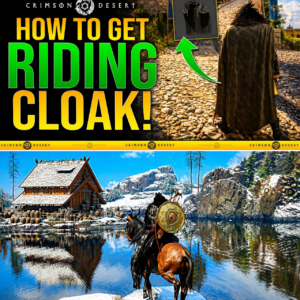
The Search is Over: How to Claim the Legendary Riding Cloak in Crimson Desert
FOUND: THE HOLY GRAIL OF CLOAKS! Stop Grinding Your Horse Levels Without This! 🐎💨 Your eyes are not playing tricks on you—the “Riding Cloak” is REAL, and we finally found the secret location! The Crimson Desert community has been hunting…
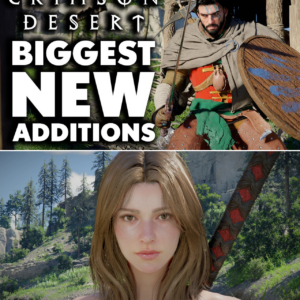
Crimson Desert’s 1.04 Mega-Patch: 8 Ways Pearl Abyss is Polishing a Generation-Defining Gem
5 MILLION COPIES SOLD & A MASSIVE 1.04 OVERHAUL: Crimson Desert Just Became “God-Tier”! 🚀🔥 Think Crimson Desert was already a masterpiece? Pearl Abyss just dropped Patch 1.04, and it’s not just an update—it’s a total game-changer. From the debut…
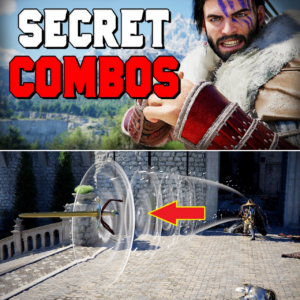
Unmasking the “Ghost Inputs”: Crimson Desert’s Secret Combat System Revealed
YOU’RE PLAYING IT WRONG: Crimson Desert’s “Hidden” Combat Layer Just Leaked! ⚔️🔥 Think you’ve mastered the combat just by spamming basic attacks? You haven’t seen anything yet. Pro players have just uncovered a “Secret Combo System” so deep it makes…
End of content
No more pages to load